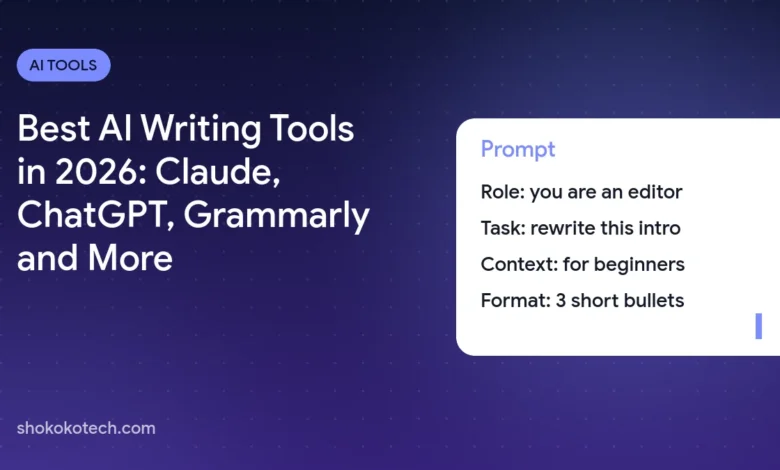
The best AI writing tools in 2026 are Claude for long-form writing and editing, ChatGPT for all-round drafting, Gemini for writing inside Google Docs and Gmail, Microsoft Copilot for Word and Outlook, Grammarly for polishing grammar and tone and QuillBot for paraphrasing and summaries. Most have free plans, and paid plans start at about $8 to $20 a month. This guide compares them by writing task and shows how to keep your own voice.
Best AI writing tools at a glance
| AI writing tool | Best for | Free plan | Paid from (US) |
|---|---|---|---|
| Claude | Long-form writing and careful editing | Yes | Pro, $20/month ($17 billed yearly) |
| ChatGPT | All-round drafting and ideas | Yes, unlimited text chats on GPT-6 Luna | Plus and higher plans |
| Gemini | Writing in Google Docs and Gmail | Yes | Google AI plans from $4.99/month |
| Microsoft Copilot | Writing in Word and Outlook | Yes, Copilot app | Microsoft 365 Premium; Copilot Business from $18/user |
| Grammarly | Grammar, clarity and tone | Yes, 100 AI prompts a month | Pro, $12 |
| QuillBot | Paraphrasing and summaries | Yes, limited | Premium, $8.33/month billed yearly |
Prices and features come from each company’s official pricing page in October 2026.
Claude: best for long-form writing and editing
Claude is a favorite of writers because it follows long, detailed instructions and handles long documents well. Its free plan includes web search, memory, file creation and up to 5 projects, so you can keep a style guide and your drafts together. Claude Pro costs $20 a month, or $17 a month billed yearly, and adds more usage.
Best uses: editing a long article, rewriting for a different audience, turning notes into a structured report and giving feedback on a draft.
ChatGPT: best all-round AI writing assistant
ChatGPT is a strong all-rounder for emails, posts, outlines and brainstorming. Its free plan includes unlimited text chats with GPT-6 Luna, and it can also create images for the same piece. Use projects to keep instructions about your tone in one place. Learn more in our guide to GPT-6 in ChatGPT.
Gemini: best for writing in Google Docs and Gmail
If your writing lives in Google Docs and Gmail, Gemini saves the most time because it works inside those apps. Google AI Pro includes Gemini in Gmail, Docs and Vids, and businesses get Gemini in Docs with Google Workspace Business Standard at $14 per user a month. You can also save your writing instructions as a reusable skill; see Google is replacing Gemini Gems with skills.
Microsoft Copilot: best for Word and Outlook
The free Copilot app helps with writing and translation. Inside Word and Outlook, Copilot comes with Microsoft 365 Premium for individuals, or Microsoft 365 Copilot Business for teams from $18 per user a month billed yearly. It is the natural choice if your documents and email are in Microsoft 365.
Grammarly: best for polishing grammar and tone
Grammarly checks grammar, clarity and tone wherever you type. Its free plan includes 100 AI prompts a month. Grammarly Pro, listed at $12, adds full-sentence rewrites, AI text detection, plagiarism detection and 2,000 AI prompts a month. Use it as the last step after drafting with Claude or ChatGPT.
QuillBot: best for paraphrasing and summaries
QuillBot is built for rewording and summarizing. The free plan includes a paraphraser for up to 100 words with 2 modes and a summarizer for up to 1,200 words. QuillBot Premium, at $8.33 a month billed yearly, unlocks all paraphrasing modes, longer summaries, advanced grammar suggestions and a plagiarism checker.
Which AI writing tool fits each task?
| Writing task | Best choice |
|---|---|
| Blog posts and long articles | Claude |
| Quick emails and messages | ChatGPT, Gemini in Gmail or Copilot in Outlook |
| Social media captions | ChatGPT or Claude |
| Reports in Google Docs | Gemini |
| Final grammar and tone check | Grammarly |
| Summarizing a long text | Claude or QuillBot |
For social posts, follow our step-by-step guide on writing social media captions with AI.
How do you keep your own voice when writing with AI?
- Write a short style note: who you write for, your tone and words you never use.
- Show an example: paste a piece you wrote and ask the AI to match it.
- Give the facts yourself: AI fills gaps with generic or invented details.
- Edit the draft: add your own experience, opinions and examples.
- Check every fact: names, numbers, dates and quotes.
Our guide on how to write better AI prompts explains this approach in detail.
What should you avoid when writing with AI?
- Do not publish AI text without editing it. Readers notice generic writing, and it can contain mistakes.
- Do not paste private or confidential text into a personal AI account. Check our AI chatbot privacy settings guide.
- Follow your school’s or employer’s rules about AI-assisted writing. Students can find learning-friendly tools in our list of the best AI tools for students.
Before you publish, check that your draft fits the right length. Our guide on how long a blog post, essay or social media post should be lists the ranges and limits.
Frequently asked questions
What is the best free AI writing tool?
Claude Free is the best for long writing and editing, and ChatGPT Free is the best all-rounder. Grammarly’s free plan is useful for a final grammar check.
Is Grammarly better than ChatGPT for writing?
They do different jobs. ChatGPT and Claude help you draft and restructure text, while Grammarly polishes grammar, clarity and tone. Many writers use both.
Can AI detectors tell if text was written with AI?
Not reliably. Detectors can flag human writing as AI and miss AI text, so they should never be the only evidence.
Which AI writing tool should you choose?
Draft with Claude or ChatGPT, write inside your apps with Gemini or Copilot and polish with Grammarly. For more free options, see our list of the best free AI tools, and for business writing, the best AI tools for small business.
Sources
- Anthropic: Claude pricing
- OpenAI: ChatGPT pricing
- Google One: Google AI plans
- Google Workspace pricing
- Microsoft 365 Copilot Business
- Grammarly plans
- QuillBot Premium
This article is based on the official documentation and reporting listed in the sources above, checked on October 17, 2026. Features and prices change, so confirm details on the official pages before you buy. ShokokoTech does not accept payment for coverage. Read our editorial policy.