Better AI prompts are not about secret phrases. They come from giving the assistant the same things a capable colleague would need: who it is writing for, what the task is, the background, the format you want and an example of a good result. This guide shows how to write better AI prompts with a simple five-part framework, real before-and-after examples and fixes for the most common problems. It works the same way in ChatGPT, Claude and Gemini.
Why do short prompts give generic answers?
An AI assistant fills every gap in your request with the most typical answer. A prompt such as “write a post about our new menu” leaves out the audience, the tone, the length, the platform and what makes the menu special, so the result reads like every other post on the internet.
Both OpenAI’s and Anthropic’s prompting guides make the same core point: be clear and specific, give context and show examples. The more of the real situation you share, the less the assistant has to guess.
What is a simple framework for better AI prompts?
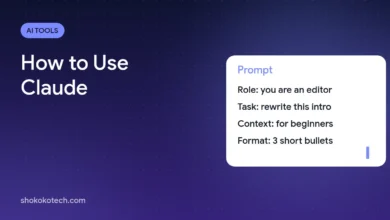
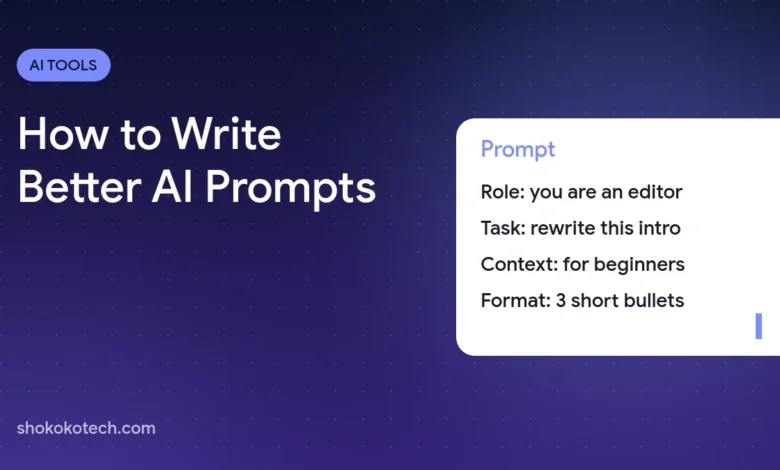
Use five parts. You will not need all of them every time, but checking them takes ten seconds.
- Role: who the assistant should act as, for example “an experienced editor” or “a patient math tutor”.
- Task: one clear action, such as “rewrite”, “summarize”, “compare” or “draft”.
- Context: the audience, the goal and any facts the assistant must use.
- Format: length, structure and tone, such as “three bullet points” or “a 120-word email”.
- Example or limits: a sample you like, or rules such as “do not invent prices”.
What does a better prompt look like in practice?
Weak prompt: “Write an Instagram caption for our café.”
Better prompt: “You are a social media writer for a small café in Casablanca. Write three Instagram captions announcing our new pistachio croissant, available from Monday. Audience: students and young professionals. Tone: warm and playful, no hashtags in the text. Each caption under 40 words, ending with a question that invites comments.”
The second version names the role, the task, the audience, the facts, the format and the tone. The answer will be specific to the café instead of generic.
Weak prompt: “Summarize this report.”
Better prompt: “Summarize the report below for a manager who has two minutes. Give the three most important findings, one risk and one recommended next step, each in one sentence. Use only information from the report.”
How do examples improve AI answers?
Examples are the fastest way to show style. If you paste two captions or emails you like and say “match this style”, the assistant copies the tone, length and structure far more reliably than it would from a description alone.
Keep examples clearly separated from the task, for example under a line that says “Examples of the style I want:”, so the assistant does not confuse them with the content to work on.
How do you fix a bad AI answer?
- Too generic: add context about your audience and a concrete detail only you know.
- Too long: give an exact limit, such as “under 80 words” or “five bullet points”.
- Wrong tone: paste an example of the tone you want.
- Made-up facts: supply the facts in the prompt and add “use only the information above; say so if something is missing”.
- Almost right: do not start over. Reply with specific edits, such as “keep version two, make the first sentence shorter”.
Can you save prompts you use often?
Yes, and it saves a lot of time. Keep a note with your best prompts and fill in the blanks each time. ChatGPT, Claude and Gemini also let you store standing instructions, such as projects, custom instructions or saved preferences, so you do not have to repeat your tone and audience in every chat. If you are still choosing an assistant, see our ChatGPT vs Claude vs Gemini comparison.
What should you never put in a prompt?
Do not paste passwords, card numbers, ID numbers or other people’s private data. Check the assistant’s privacy settings before sharing work documents, especially if chats may be used to train models. Our guide on AI chatbot privacy settings shows where those switches are.
To see the framework applied to a real task, read our guide to writing social media captions with AI. In Gemini, you can save a good prompt as a reusable skill, as explained in our guide to Gemini skills.
Choosing a tool to write with? Compare the best AI writing tools, from Claude and ChatGPT to Grammarly.
Frequently asked questions
Do longer prompts always work better?
No. A prompt should be as long as it needs to be and no longer. Specific details help; repeated or contradictory instructions make results worse.
Do the same prompts work in ChatGPT, Claude and Gemini?
Mostly, yes. The five-part framework works in all three, although each assistant may need small adjustments to tone or length.
Should I tell the AI to “act as an expert”?
A role helps set the tone and level, but it works best together with real context and a clear format. On its own it changes little.
What is the quickest way to improve your prompts today?
Take a prompt you use often, add one line each for audience, format and an example, and compare the results side by side. Save the better version as a template and reuse it.
Sources
This article is based on the official documentation and reporting listed in the sources above, checked on October 17, 2026. Features and prices change, so confirm details on the official pages before you buy. ShokokoTech does not accept payment for coverage. Read our editorial policy.